🚀 Google Gemma 4 12B: Multimodal AI That Runs on Just 8GB VRAM
AI-assisted, human-edited
This article was drafted with the help of large language models and reviewed by a Shine Soft Corp engineer before publication. Facts, citations, and code samples were verified against the linked sources. All opinions and editorial direction belong to the editor.
Google has released Gemma 4 12B, a powerful open-weight multimodal model capable of understanding text, images, and audio while remaining efficient enough to run on consumer hardwa
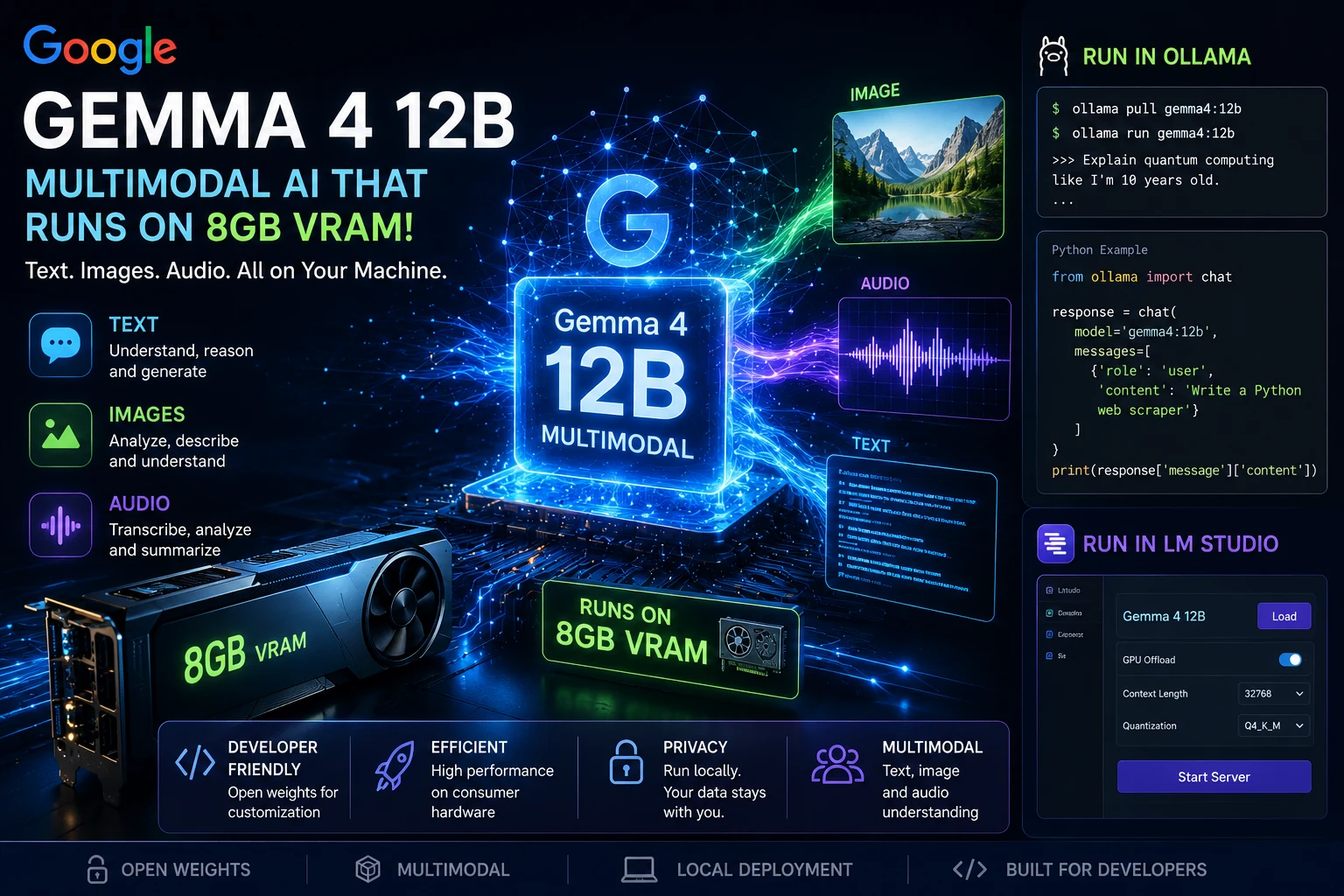
🚀 Google Gemma 4 12B: Multimodal AI That Runs on Just 8GB VRAM
Google has released Gemma 4 12B, a powerful open-weight multimodal model capable of understanding text, images, and audio while remaining efficient enough to run on consumer hardware with as little as 8GB VRAM.
This makes advanced AI more accessible for developers, researchers, and enthusiasts who want local AI without expensive GPUs.
🔥 Why Gemma 4 12B Matters
✅ Multimodal Support
- Text understanding and generation
- Image analysis and visual reasoning
- Audio understanding
✅ Local Deployment
Run advanced AI models on:
- RTX 3060 8GB
- RTX 4060 8GB
- RTX 4060 Laptop
- Apple Silicon Macs
✅ Open Weights
Developers can fine-tune and customize the model for specific applications.
💡 Example Use Cases
Image Analysis
Upload a screenshot and ask:
"Explain what's happening in this image."
Audio Understanding
Provide an audio clip:
"Summarize this meeting recording."
Coding Assistant
"Create a Python Flask API for user authentication."
Document Processing
"Extract all invoice numbers from this PDF."
🦙 Running Gemma 4 12B in Ollama
First update Ollama:
ollama update
Pull the model:
ollama pull gemma4:12b
Run it:
ollama run gemma4:12b
Interactive prompt:
>>> Explain quantum computing like I'm 10 years old.
Python Example with Ollama
Install library:
pip install ollama
Example:
from ollama import chat

response = chat(
    model='gemma4:12b',
    messages=[
        {
            'role': 'user',
            'content': 'Write a Python web scraper'
        }
    ]
)

print(response['message']['content'])
🖼️ Image Understanding Example
Python:
from ollama import chat

response = chat(
    model='gemma4:12b',
    messages=[
        {
            'role': 'user',
            'content': 'Describe this image',
            'images': ['sample.jpg']
        }
    ]
)

print(response['message']['content'])
🎙️ Audio Processing Example
Depending on supported modalities in your build:
response = chat(
    model='gemma4:12b',
    messages=[
        {
            'role': 'user',
            'content': 'Summarize this audio file',
            'audio': ['meeting.wav']
        }
    ]
)
💻 Running Gemma 4 12B in LM Studio
Step 1
Download and install:
Step 2
Open:
Discover
Search:
Gemma 4 12B
Step 3
Download a GGUF version.
Recommended quantizations:
| VRAM | Quant |
|---|---|
| 8GB | Q4_K_M |
| 10GB+ | Q5_K_M |
| 16GB+ | Q8_0 |
Step 4
Load model.
Enable:
- GPU Offload
- Context Window 32K+
- Flash Attention (if supported)
Step 5
Start chatting locally.
Example LM Studio Local API
Enable Local Server:
Developer → Start Server
Default endpoint:
http://localhost:1234/v1/chat/completions
Python example:
from openai import OpenAI

client = OpenAI(
    api_key="lm-studio",
    base_url="http://localhost:1234/v1"
)

response = client.chat.completions.create(
    model="gemma-4-12b",
    messages=[
        {"role": "user", "content": "Explain transformers"}
    ]
)

print(response.choices[0].message.content)
📊 Hardware Requirements
| Model | Recommended VRAM |
|---|---|
| Gemma 4 12B Q4 | 8GB |
| Gemma 4 12B Q5 | 10-12GB |
| Gemma 4 12B Q8 | 16GB+ |
🚀 Why This Release Is Important
For years, running multimodal AI locally required expensive GPUs with 24GB–80GB VRAM.
With Gemma 4 12B, Google is pushing powerful multimodal AI into the hands of developers using mainstream gaming laptops and desktop PCs.
The era of local AI assistants that can see, hear, and reason is arriving much faster than many expected.
#AI #Google #Gemma4 #LocalAI #LLM #Ollama #LMStudio #OpenSourceAI #MachineLearning #GenerativeAI #ArtificialIntelligence #Developers #TechNews #MultimodalAI 🚀🧠