Build High-Performance Generative AI Systems with Strands Agents, NVIDIA NIM, and Amazon Bedrock AgentCore
AI-assisted, human-edited
This article was drafted with the help of large language models and reviewed by a Shine Soft Corp engineer before publication. Facts, citations, and code samples were verified against the linked sources. All opinions and editorial direction belong to the editor.
Learn to construct robust, scalable generative AI agent systems on AWS. This guide combines GPU-accelerated inference, serverless orchestration, and shared memory to create agents that deliver fast responses, coordinate complex tasks, and operate reliably in production environments.
Building High-Performance Generative AI Agents
Developing high-performance generative AI agents demands an architecture capable of rapid inference, seamless multi-agent coordination, and dependable operation under production loads. This guide demonstrates how to build such agents on AWS, integrating GPU-accelerated inference, serverless orchestration, shared memory, and built-in observability to ensure consistent business value.
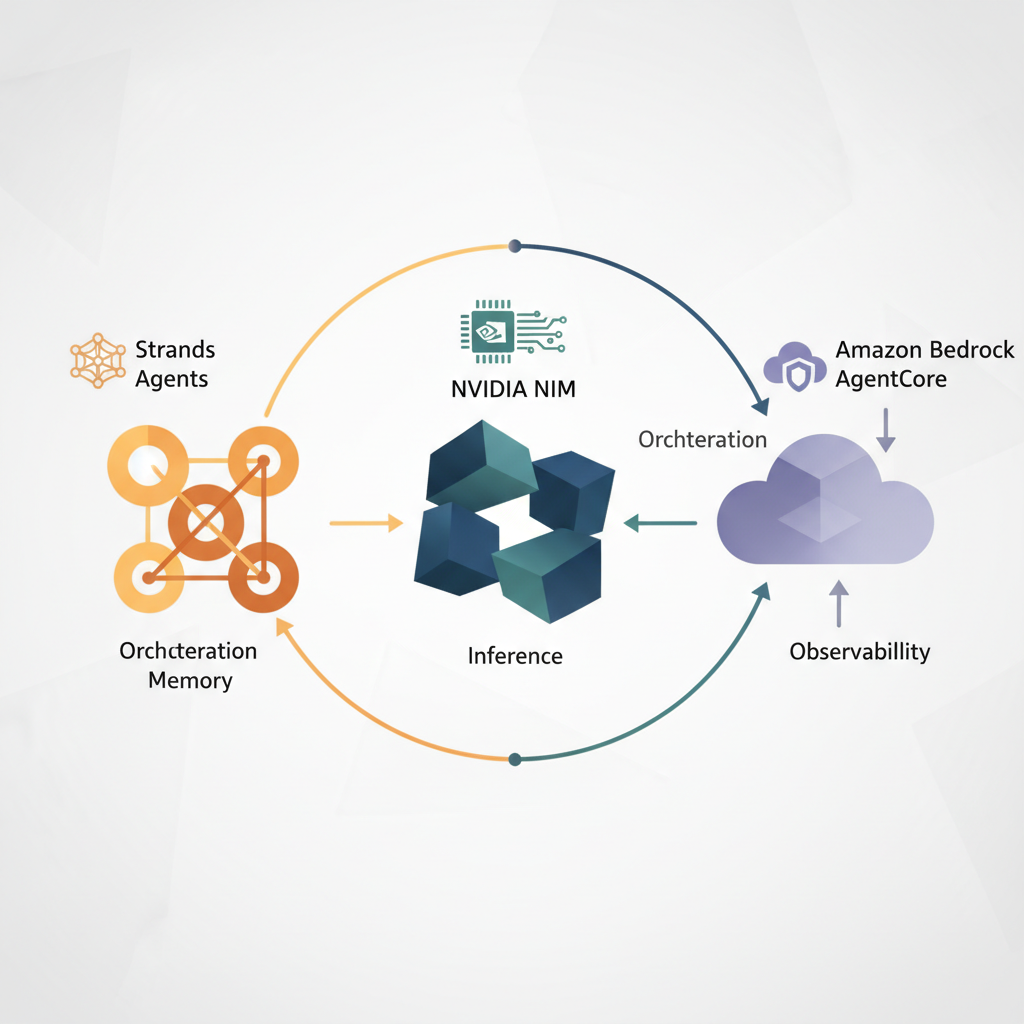
As agent workloads grow, challenges like increased inference latency, loss of conversational context, and limited visibility into execution become prominent. This solution addresses these issues by combining NVIDIA NIM for GPU-accelerated inference, Amazon Bedrock AgentCore for managed runtime and shared memory, and Strands Agents for serverless multi-agent orchestration. This integrated approach ensures performance, scalability, and operational insight.
Solution overview
This system features three specialized agents working in parallel: a persona reviewer evaluates content from various audience perspectives, a validator checks compliance with guidelines, and a finalizer aggregates outputs into consolidated recommendations. Users submit documents via a React-based frontend, which asynchronously displays agent feedback as it becomes available.
The solution leverages NVIDIA NIM APIs for high-performance, GPU-accelerated inference, running optimized large language models on NVIDIA-managed GPU backends. These endpoints offer low-latency, high-throughput responses via OpenAI-compatible Chat Completion APIs, integrating smoothly with the Strands-based orchestration layer.
Agent orchestration is implemented using Strands Agents, AWS's multi-agent framework for coordinating tool-based reasoning workflows. The Strands orchestrator and agents are packaged as a Docker container and deployed into Amazon Bedrock AgentCore Runtime, which provides a managed execution environment with checkpointing and recovery capabilities for robust, scalable operations.
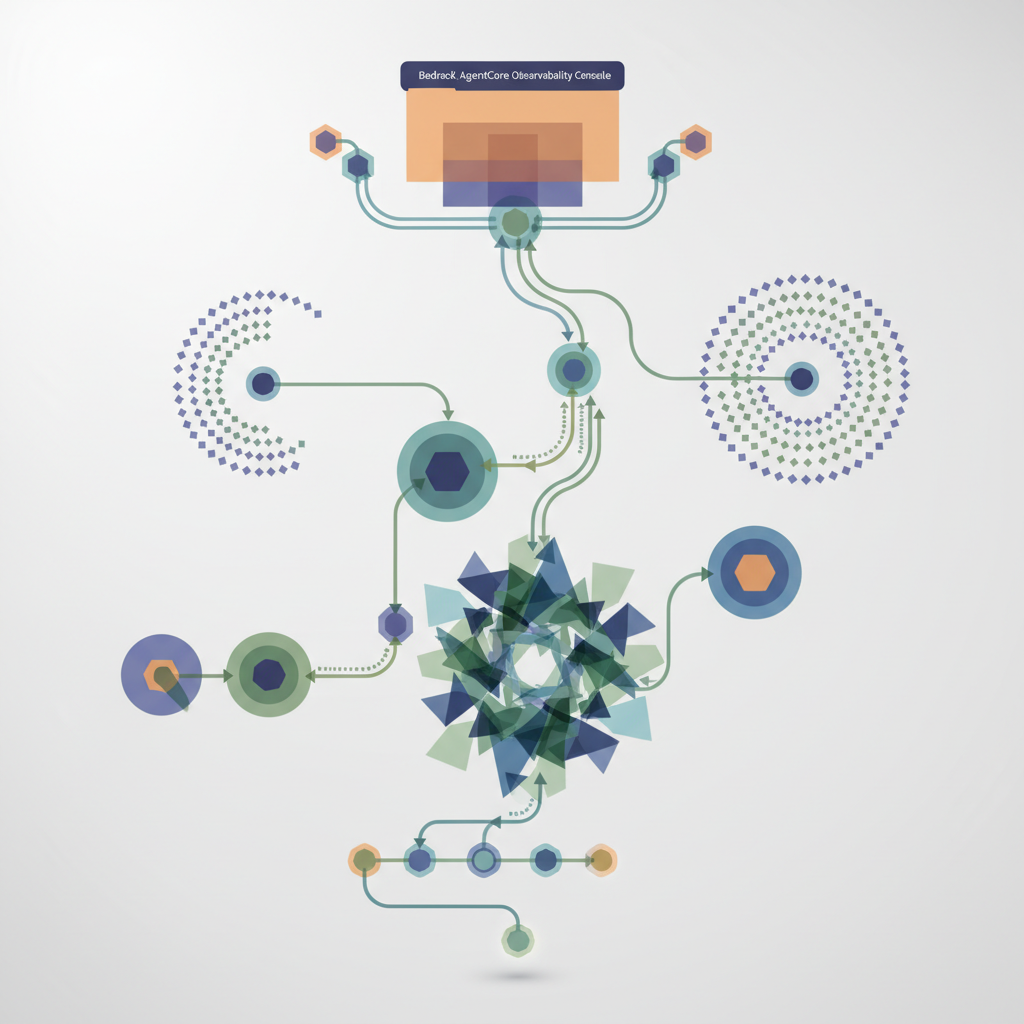
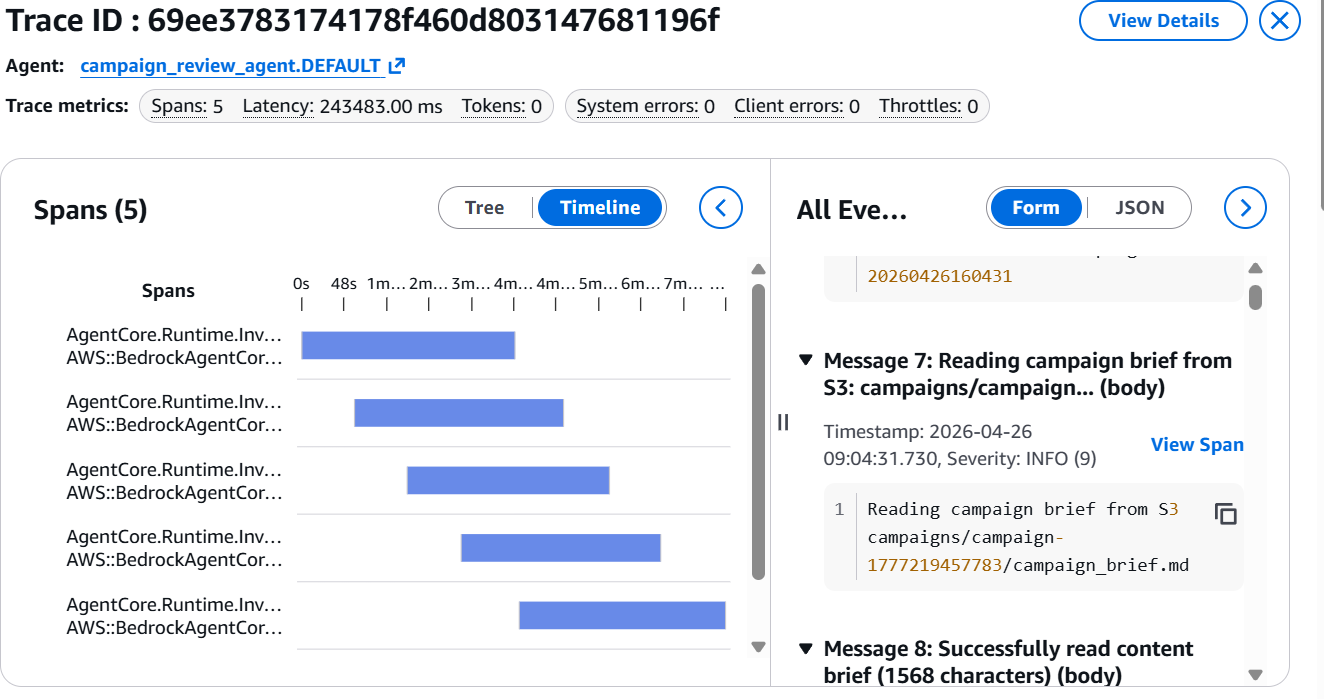
Amazon Bedrock AgentCore Observability offers detailed visualizations of agent workflows, allowing developers to inspect execution paths, audit intermediate outputs, and debug performance issues. Operational metrics like latency, token usage, and error rates are monitored via Amazon CloudWatch, providing crucial insights into agent behavior.
Amazon Bedrock AgentCore Memory facilitates shared context across agent invocations and supports multi-turn conversations. This capability can be extended to provide a natural language interface for AI assistants by storing conversational state and history. The entire solution is easily deployed using an AWS Serverless Application Model (AWS SAM) template.
Prerequisites
Before deploying this solution, ensure your development environment is set up with the following essential tools.
- Install the AWS Command Line Interface (AWS CLI).
- Install the AWS SAM CLI v1.100.0+.
- Install Docker v20.x+.
- Install Node.js v18.x+.
- Install Python v3.11+.
Dependencies
The Strands Agents implementation relies on these dependencies, which are included in the DockerFile for packaging.
- AWS Strands multi-agent framework:
strands-agents - Strands agent tools and utilities:
strands-agents-tools - HTTP library for API calls:
requests - Amazon Bedrock agent core functionality:
bedrock-agentcore - AWS SDK for Python:
boto3
Deploy the solution
With the architecture understood, follow these steps to deploy the solution within your AWS environment. Remember that using NVIDIA NIM requires accepting the NVIDIA AI Enterprise EULA. The solution is available on GitHub, and these steps mirror the deployment instructions found there.
Step 1: Clone the repository
git clone <respository url>
cd aws-genai-campaign-review-strands-agentcore
Begin by cloning the solution's GitHub repository to your local machine and navigating into the project directory.
Step 2: Configure AWS credentials
aws configure
aws sts get-caller-identity
Set up your AWS CLI credentials to allow interaction with your AWS account, then verify that your credentials are correctly configured.
Step 3: Set up an Amazon DynamoDB persona table
chmod +x scripts/setup_persona_table.sh
./scripts/setup_persona_table.sh
Prepare the necessary DynamoDB table by making the setup script executable and then running it to create the persona table.
Step 4: Build the AWS SAM application
sam build
Build the AWS Serverless Application Model (SAM) application, which prepares your code and dependencies for deployment.
Step 5: Deploy infrastructure
sam deploy --guided
Initiate a guided deployment of the infrastructure. You will be prompted to provide a stack name, agent name, and your AWS region, while accepting default values for other settings.
Step 6: Get deployment outputs
aws cloudformation describe-stacks --stack-name <Your stack name> --query 'Stacks[0].Outputs' --output table
After deployment, retrieve the key output values from your CloudFormation stack, which include important URLs and resource names. Make sure to save these values for subsequent steps.
- ApiEndpoint – HTTP API URL
- CampaignOrchestratorApi – Agent API URL
- CloudFrontURL – Front-end URL
- FrontendBucket – S3 bucket for front end
Step 7: Deploy agent to AgentCore Runtime
curl -X POST <DeployAgentApiEndpoint> -H "Content-Type: application/json" -d '{"action":"deploy","agent_name":"<your agent name>"}'
aws logs tail /aws/lambda/deploy-agentcore --region <your AWS region> –follow
aws ssm get-parameter --name /agentcore/<your agent name>/agent-arn --region <your AWS region>
This step deploys your Strands agent to Bedrock AgentCore and records the Agent ARN in Systems Manager. The process takes approximately 5 minutes.
Info: The API Gateway may time out after 29 seconds, but the underlying AWS Lambda function will continue to run until the deployment is complete. Monitor the Lambda logs for progress.
Wait until the logs confirm "Agent Core Runtime is READY!" and "Wrote Agent ARN to SSM." Afterwards, verify the Agent ARN has been successfully stored in Systems Manager Parameter Store.
Step 8: Configure front-end environment
PI_URL=$(aws cloudformation describe-stacks --stack-name <your stack name> --query 'Stacks[0].Outputs[?OutputKey==`ApiEndpoint`].OutputValue' --output text)

AGENT_API_URL=$(aws cloudformation describe-stacks --stack-name <your stack name> -review --query 'Stacks[0].Outputs[?OutputKey==`CampaignOrchestratorApi`].OutputValue' --output text)
cat > .env << EOF
VITE_API_URL=$API_URL
VITE_AGENT_API_URL=$AGENT_API_URL
VITE_AWS_REGION= <your AWS region>
EOF
Set up the front-end environment variables by fetching the API and agent API URLs from your CloudFormation stack outputs and then creating a .env file with these values, including your AWS region.
Step 9: Build and deploy front end
npm install
npm run build
FRONTEND_BUCKET= $(aws cloudformation describe-stacks --stack-name unified-campaign-review --query 'Stacks[0].Outputs[?OutputKey==`FrontendBucket`].OutputValue' --output text)
aws s3 sync dist/ s3://$FRONTEND_BUCKET --delete
DISTRIBUTION_ID=$(aws cloudfront list-distributions --query "DistributionList.Items[?Origins.Items[0].DomainName=='${FRONTEND_BUCKET}.s3.us-west-2.amazonaws.com'].Id" --output text)

aws cloudfront create-invalidation --distribution-id $DISTRIBUTION_ID --paths "/*"
Install the necessary front-end dependencies, build the application, and then deploy the compiled assets to the designated S3 bucket. Optionally, invalidate the CloudFront cache if you are updating an existing deployment.
Step 10: Access the application
aws cloudformation describe-stacks --stack-name unified-campaign-review --query 'Stacks[0].Outputs[?OutputKey==`CloudFrontURL`].OutputValue' --output text
Retrieve the CloudFront URL from your stack outputs and open it in your browser to access the deployed application. Upload the provided campaign_brief.md file to see the multi-agent orchestration's review output.
Additionally, navigate to the Bedrock AgentCore Observability console. Select your agent to view a detailed visualization of each step within your agent's workflow, providing deep insights into its execution.
Clean up
sam delete --stack-name unified-campaign-review
aws dynamodb delete-table --table-name PersonaTable --region us-west-2
To prevent ongoing charges, remember to clean up all resources deployed in your AWS account after you have finished experimenting with the solution. This involves deleting the CloudFormation stack and the DynamoDB table.
Conclusion
This guide demonstrated how to build a production-ready generative AI agent system by integrating NVIDIA NIM for GPU-accelerated inference with Amazon Bedrock AgentCore and Strands Agents on AWS for serverless orchestration. This architecture allows for independent scaling, shared context across interactions, and detailed visibility into execution.
This approach provides a solid foundation for multi-agent systems requiring parallel reasoning, persistent context, and operational insight. Whether for review automation, digital assistants, or other agent-driven applications, this pattern helps transition from prototypes to reliably deployable, observable, and scalable systems on AWS.
About the authors
Kanishk Mahajan is a Principal – AI/ML with AWS Professional Services, where he leads GenAI and agentic transformations for major AWS customers in the Telco and Media & Entertainment sectors.
Akshay Parkhi, a Machine Learning Engineer at Amazon Web Services, brings over 16 years of experience in enterprise transformation across SAP, cloud, DevOps, and AI/ML. He specializes in architecting and scaling production-grade AI and agentic systems that drive critical business outcomes in complex, real-world environments.
Visual references

References
This article was informed by reporting and engineering write-ups from the sources below. Please visit them for the original analysis:
Shine Soft Corp synthesizes and commentates on these sources; we do not republish their content.
Frequently asked questions
What is the primary benefit of using this solution for generative AI agents?
The solution enables building high-performance, scalable, and reliable generative AI agents by combining GPU-accelerated inference, serverless orchestration, and built-in observability, crucial for production workloads.
How does NVIDIA NIM enhance the system's performance?
NVIDIA NIM provides GPU-accelerated inference as a fully managed service, running optimized large language models on NVIDIA-managed GPU backends. This delivers low-latency, high-throughput responses essential for agent workflows.
What role do Strands Agents play in this architecture?
Strands Agents serve as AWS's multi-agent framework, coordinating tool-based reasoning workflows. They enable explicit modeling of agent interactions, managing parallel execution, control flow, and result aggregation across multiple agents.
What capabilities does Amazon Bedrock AgentCore bring to the solution?
Amazon Bedrock AgentCore provides a managed runtime with checkpointing and recovery, shared memory for context persistence and multi-turn conversations, and built-in observability for detailed workflow visualization and debugging.
Can this architecture be adapted for other generative AI applications?
Yes, while the example focuses on marketing content review, the same architectural pattern is applicable to various use cases such as digital assistants, review automation, and retrieval-augmented generation (RAG) pipelines.
How is debugging and monitoring handled in this system?
Amazon Bedrock AgentCore Observability provides detailed visualizations of agent workflows, allowing developers to inspect execution paths and debug performance bottlenecks. Amazon CloudWatch monitors operational metrics like latency, token usage, and error rates.
What is the most critical challenge you face when deploying generative AI agents to production?
Live results